
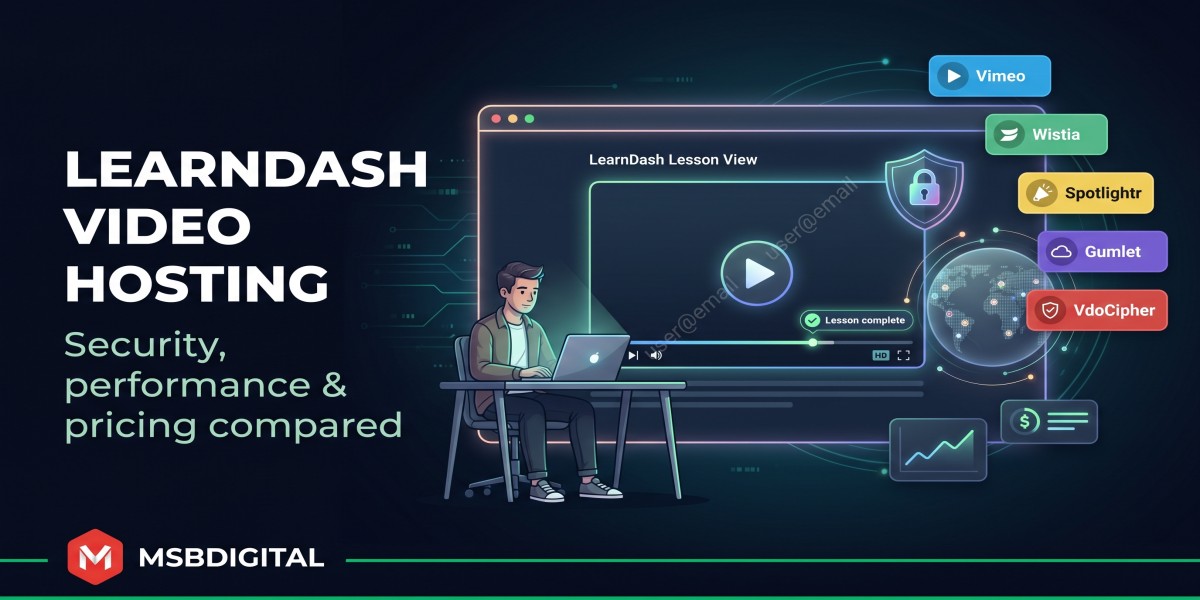
Video powers modern e-learning. A 2024 Panopto study found that 85 percent of students say video improves their learning, and 83 percent value on-demand playback.
Pick the wrong host, though, and enthusiasm turns into frustration. Self-hosting slows your site, free platforms plaster distracting links, and “unlimited” plans hide bandwidth caps that explode budgets mid-launch. If you’ve ever watched a lesson buffer—or worse, pop up on a pirate site—you know the feeling.
Dedicated video hosts solve those headaches. They shield your files, stream quickly worldwide, and plug straight into LearnDash Video Progression so students move from play to complete without friction.
In this guide we’ll rank the 11 strongest options—established names like Vimeo and Wistia plus rising contenders such as Gumlet and Bunny.net. We tested real pricing, security layers, analytics depth, and WordPress integration so you can choose with confidence.
Want a deeper technical dive? Read our complete guide to LearnDash video hosting written from a course-creator’s perspective.
First, here’s exactly how we scored each platform so the ranking feels fair and transparent.
How we ranked the platforms
Before we name winners, here’s the scorecard. We compared each service against six criteria that matter to anyone running a LearnDash site.
Security came first; protecting paid content separates revenue from piracy. Next we checked how easily each host plugs into LearnDash Video Progression, because even the best lesson fails if students cannot mark it complete.
Then we calculated true monthly cost once hundreds of students press play. We reviewed analytics and engagement tools that help refine lessons, followed by raw playback reliability. Lastly, we considered the quality of customer support.
- Security and content protection - 25 percent
- LearnDash and WordPress integration - 20 percent
- Pricing and long-term scalability - 20 percent
- Analytics and engagement features - 15 percent
- Global playback performance - 10 percent
- Support, roadmap, and company stability - 10 percent
Hosts without domain restrictions, a viable WordPress pathway, or recent product updates (within the last 18 months) were removed before scoring. That process left 11 contenders and a clear, defendable ranking you’ll see next.
Quick-scan comparison
Choosing a host often starts with one question: “How do the contenders stack up, side by side?”
The table below answers that in sixty seconds. Keep it open as we explore each platform later, and you’ll spot patterns fast.
|
Platform |
Entry price / month* |
Hard limits |
Security layer |
LearnDash fit |
Standout feature |
|
Spotlightr |
$13 |
200 GB bandwidth |
HLS + dynamic watermark |
Native plugin / auto completion |
In-player quizzes and heatmaps |
|
Vimeo |
$25 (Standard) |
2 TB bandwidth cap |
HLS + domain lock |
Simple embed |
Polished 4K player |
|
Wistia |
$79 |
50 videos, then $1.00 each |
Signed URLs |
Manual embed |
Granular viewer analytics |
|
Gumlet |
Usage based |
None |
Widevine / FairPlay DRM |
API embed |
Multi-CDN adaptive streaming |
|
VdoCipher |
$12 (annual) |
1 TB bandwidth |
Widevine DRM + watermark |
WP plugin |
Anti-piracy watermark overlay |
|
Bunny.net |
Pay as you go |
None |
Signed expiring URLs |
Presto Player combo |
$0.005 per GB delivery |
|
Dacast |
$39 |
2.4 TB per year |
Token security (DRM on higher tiers) |
Iframe embed |
Live and on-demand in one dashboard |
|
Vidyard |
$19** |
Unlimited videos |
Domain lock on Business |
Manual embed |
CRM-grade lead tracking |
|
Amazon S3 + CloudFront |
Usage only |
None |
Signed URLs (DIY) |
Plugin / API |
Full control, no branding |
|
SproutVideo |
$10 |
100 GB bandwidth |
Login or IP restrict |
Manual embed |
Mid-tier price, SMB focus |
|
YouTube (Unlisted) |
Free |
None |
None |
Easy embed |
Unlimited reach, zero cost |
Entry price reflects the cheapest plan suitable for a commercial course, not limited free tiers.
Vidyard Business plans with domain security start at about $300; listed price is for the Pro tier without restrictions.
Numbers are current as of April 2026. Always double-check a host’s pricing page before you buy.
With the picture clear, let’s step onto the podium and explore each platform’s real-world strengths, starting with our top pick.
1) Spotlightr: best all-around choice for course creators
Spotlightr takes the top slot because it solves two common LearnDash headaches: content theft and clunky integration.
Spotlightr Video Hosting for LearnDash Interface Screenshot
Upload a video and Spotlightr wraps it in AES-128 HLS encryption, adds a moving watermark, and locks playback to your domain. Pirates get blocked; genuine students press play. That’s serious protection without a six-figure bill, and Spotlightr is one of just three hosts LearnDash officially highlights for seamless Video Progression, a point they expand on in their complete guide to LearnDash video hosting.
Setup feels easy. The official WordPress plugin lets you drop a shortcode, tick “Mark lesson complete when finished,” and move on. No JavaScript workarounds, no half-working webhooks. Completion data lands automatically in LearnDash reports.
Teaching is only half the battle; you also need to see what resonates. Spotlightr’s heatmaps show exactly where learners rewind or quit. Add time-stamped quizzes, gated email opt-ins, and Zapier triggers, and you’ve got one hub for engagement and marketing.
Cost stays sensible. The Starter plan is about thirteen dollars a month and includes 200 GB of bandwidth. A surprise surge of students simply adds five cents per extra gigabyte, not a forced upgrade.
Independent reviews agree. AITUDE’s 2025 deep-dive ranked Spotlightr first for the blend of security, integration, and price, calling it “the sweet spot” for most course creators.
If you need a platform that protects premium lessons, syncs with LearnDash automatically, and still leaves room in your budget for better microphones, start the free 14-day trial and upload a sample module today.
2) Vimeo: slick player, sneaky ceiling
Vimeo is the platform many instructors try first, and with good reason. Drag and drop an upload, an ad-free player appears, and your lesson looks instantly professional. Learners never see cat-video suggestions or pre-roll ads. That shine alone builds trust.
Vimeo Ad-Free Course Video Player Homepage Screenshot
Privacy controls meet most entry-level needs. You can hide a video from Vimeo search, add a password, and, most useful, restrict embeds to your LearnDash domain so the file will not play elsewhere. For many small courses that’s enough to keep casual freeloaders out.
Trouble begins when your course grows. Every self-serve Vimeo plan carries a 2 TB monthly bandwidth “fair use” threshold. Hit it, and support emails start hinting at custom enterprise pricing. Swarmify’s 2026 teardown notes that a cohort of about 100 students watching three to four hours of content each month can reach the 2 TB limit.
Analytics land in the middle ground. You’ll see plays, finishes, and geo charts, but no viewer-specific heatmaps unless you upgrade to six-figure Enterprise. Interactive tools such as chapters, polls, and gated forms exist, but they hide behind higher tiers.
Integration is simple: paste a Vimeo URL into a LearnDash lesson and you’re finished. What you won’t get is automatic video progression. Students still need to click “Mark Complete,” or you’ll need a JavaScript workaround.
Pricing looks gentle at first glance, about twenty-five dollars a month for the Standard plan, but remember that soft cap. If your course is low-volume or internal training, Vimeo stays a bargain. If you plan to scale, budget for frequent upgrades or a future migration.
Bottom line: Vimeo delivers a smooth viewing experience and the lowest-friction setup in this roundup. Just watch your bandwidth like a hawk, or the romance ends quickly.
3) Wistia: premium analytics for data-driven instructors
If Vimeo is style, Wistia is X-ray vision. The moment a learner presses play, Wistia starts painting heatmaps that show second-by-second engagement. You see where students rewind for clarity and where they drift away, so you can tighten scripts and lift completion rates in the very next cohort.
Branding is another win. Swap Wistia’s logo for yours, recolor the controls, and the player blends into your course as if it were built in-house. Turnstile, Wistia’s native email gate, can capture leads on free preview lessons or mid-course upsells. Add chapter markers or clickable buttons, and your videos do part of the teaching for you.
The catch is cost. The Pro plan runs about seventy-nine dollars a month and covers 50 videos; every extra upload is a dollar. For a library of 50 lessons, you’re suddenly flirting with triple-digit bills, and that’s before bandwidth overage fees.
Security is adequate but not bulletproof. Wistia relies on signed URLs and domain restriction; determined pirates can still rip files with the right tools. If your course price justifies iron-clad DRM, skip ahead to Gumlet or VdoCipher. For most creators, Wistia’s controls block casual sharing and keep the honest honest.
Integration is straightforward. Grab the embed code, paste it into a LearnDash lesson, and you’re live. You won’t get automatic video progression without custom code, but Wistia’s player API can fire events if you want to build something more advanced.
Pick Wistia when granular viewer data is your north star and you’re willing to pay for it. The platform is overkill for a five-lesson mini-course, but invaluable when continuous improvement drives your business.
4) Gumlet: enterprise muscle without the enterprise attitude
Scaling a global classroom is hard when half your viewers sit an ocean away from your server. That’s where Gumlet shines. Built on a multi-CDN backbone, it detects each viewer’s location and serves video from the nearest edge, cutting buffering complaints before they reach your inbox.
Gumlet Secure Multi-CDN Video Infrastructure Homepage Screenshot
Security is just as strong. Gumlet offers Widevine and FairPlay DRM, the same encryption Netflix trusts. Add dynamic, user-specific watermarks and tokenized URLs that expire within minutes, and pirates face an uphill battle even to grab a screenshot.
Because Gumlet sells infrastructure rather than a glossy dashboard, pricing is usage based. You pay pennies per gigabyte streamed, not a flat subscription. Small creators will notice unpredictable bills, but growing academies often save thousands compared with rigid plan tiers. There are no caps and no upgrade emails, only metered scale.
Integration needs a bit of elbow grease. You can paste an iframe into LearnDash today, but the real advantage appears when a developer connects Gumlet’s API to your LMS or to a plugin such as Presto Player. Do that once and you own a streaming pipeline that could power a miniature Netflix.
Choose Gumlet when your course enrolls students from São Paulo to Singapore and each of them expects instant HD playback. It’s overkill for a ten-student pilot, yet a lifesaver for platforms where uptime and security clauses appear in client contracts.
5) VdoCipher: lock-tight DRM for high-ticket content
Some courses cost as much as a college semester. If that’s your price point, “good enough” security won’t do. VdoCipher streams every lesson through Google Widevine and Apple FairPlay DRM, so learners can press play while downloaders see an encrypted brick.
VdoCipher DRM-Protected Video Hosting for High-Ticket Courses Screensho
A WordPress plugin handles the heavy lifting. Upload the file, copy the shortcode, and the video appears in your LearnDash lesson already wrapped in DRM. You can even stamp each stream with a dynamic watermark that shows the viewer’s email, discouraging screen recording in a single glance.
Pricing is annual and clear: about one hundred forty-nine dollars per year buys 1 TB of bandwidth and 100 GB of storage. Need more? Buy top-up data blocks instead of jumping to an expensive enterprise tier. For premium programs that focus on quality over volume, that structure keeps margins healthy.
Analytics track the essentials: plays, locations, and device types. You won’t get heatmaps, but you’ll know whether learners finish each lesson. If you need deeper behavior data, pair VdoCipher with a front-end player plugin that tracks events locally.
VdoCipher isn’t built for viral, free courses. It’s built for flagship certifications, corporate compliance modules, and any product where one leak could erase months of revenue. If that matches your reality, the extra encryption layer brings peace of mind.
6) Bunny.net: penny-pinching performance for the tech-savvy
Bunny.net turns the usual video-host model on its head. Instead of charging a flat subscription, it sells raw infrastructure priced by the gigabyte. Storage costs about one cent per gig each month, while delivery runs roughly half a cent per gig. If your course streams 200 GB a month, your bill is about a dollar.
The savings come with a trade-off: you’re the carpenter. Bunny provides encoded HLS files, a global CDN with more than 90 edge locations, and signed URLs you can set to expire after minutes or days. Everything else—player skin, analytics, LearnDash integration—comes from a WordPress plugin such as Presto Player or a bit of custom code.
Once configured, playback feels smooth. Students click play and Bunny’s edge servers handle the heavy lifting, even in regions where Vimeo can buffer. Token security blocks casual link sharing, and you keep total control of file names, folder structure, and purge rules.
Bnny is perfect when every dollar counts or when you enjoy owning the stack. It’s less ideal if you want one login for heatmaps, quizzes, and support chat. In that case, a full-service host such as Spotlightr makes more sense. For developers who like to tinker—and for bootstrappers who would rather spend money on marketing—Bunny is the cheapest route to professional streaming.
7) Dacast: one dashboard for live and on-demand
Many courses rely on weekly Q&A sessions or capstone webinars. Running those on Zoom, downloading the recording, uploading to another host, and then embedding in LearnDash feels like busywork. Dacast removes the back-and-forth.
Schedule a live stream in Dacast, drop the embed code into your lesson, and go live. When you click End Broadcast, the session saves to the same library as a replay, ready for latecomers within minutes. No downloading, no re-encoding, and no extra storage fees.
Security fits the job. Tokenized HLS blocks casual link sharing, and higher tiers add DRM if you need it. A built-in paywall lets you sell standalone events without wiring up WooCommerce, though most LearnDash users keep their existing cart.
Starter pricing is about thirty-nine dollars a month and includes a generous yearly bandwidth pool. That’s plenty for small cohorts, but live streaming burns data faster than on-demand playback, so watch peak attendance during launches.
Dacast’s interface feels practical rather than flashy. You won’t find quizzes or heatmaps, but you will find dependable uptime and 24/7 support from people who speak RTMP fluently. If live teaching sits at the heart of your program, Dacast offers the smoothest workflow in this list.
8) Vidyard: marketing DNA, course-ready muscles
Vidyard began in sales departments, where reps record personal video pitches and track who watches. That heritage gives course creators a rare advantage: every student can be treated like a lead, complete with individual watch histories that flow straight into HubSpot or Salesforce.
On the lesson page, the player looks crisp and loads quickly. Interactive calls to action, chapter links, and even personalized banners can appear mid-video to nudge learners toward a coaching upgrade or survey.
Domain restriction is available, but only on Business plans that start at roughly three hundred dollars a month. The nineteen-dollar Pro tier works for public content but leaves security gaps for paid courses. Factor that jump into your forecast before falling in love with the analytics dashboard.
Embedding in LearnDash is copy-paste simple, and Vidyard’s API offers webhooks if you want to award badges the moment a learner finishes ninety percent of a video. Remember that viewer data lives in Vidyard first, not your LMS, so reporting sits in two places unless you connect them.
Choose Vidyard when video sells your program as much as it teaches it. If you need pure delivery, cheaper hosts do the job. For funnels, follow-ups, and “I saw you watched three minutes but didn’t finish” emails, Vidyard brings marketing power no other platform here matches.
9) Amazon S3 + CloudFront: DIY control for AWS fans
Running on Amazon’s backbone puts your lessons on the same infrastructure Netflix relies on. With S3 you upload video files to a bucket, and CloudFront copies them to edge servers worldwide. The result is fast, reliable playback at any scale.
Costs are pay as you go. Storage sits at about two cents per gig each month, and typical North America delivery is near eight cents per gig. Light courses stay cheap, while viral launches scale smoothly because you pay only for what students watch.
Flexibility is the reward, but complexity is the fee. You need to generate signed URLs, set cache policies, and choose a player. Many LearnDash owners pair S3 with Presto Player, FV Player, or plain HTML5. That route enables automatic lesson completion and crisp chapter markers, yet it adds plugins and moving parts.
Security equals whatever you build. Signed URLs can expire after minutes to curb link sharing, but HLS encryption or DRM requires extra AWS services. For most mid-priced courses, expiring links are enough. For six-figure certification programs, consider layering in AWS Elemental or migrating to VdoCipher.
Choose the AWS path if you already work in the cloud or you like full control. Everyone else will finish setup faster on a turnkey host.
10) SproutVideo: security sweet spot for small teams
SproutVideo sits in the middle ground: stronger privacy than Vimeo, lower price than Wistia, simpler setup than AWS. For many bootstrapped businesses, that balance feels just right.
Set a video to “domain-only” and embed it in LearnDash, and you’re done. Need tighter control? Toggle login protection, give each learner a unique password, or whitelist corporate IP ranges for internal training. All settings sit in a clean dashboard that never overwhelms non-technical users.
Plans start at ten dollars a month and include 100 GB of monthly bandwidth, enough for about forty hours of HD playback. If you exceed that cap you pay twenty-five cents per extra gig, which still beats many flat-fee upgrades.
Analytics mirror Vimeo’s overall depth but add viewer-specific logs when you enable login mode. You won’t get heatmaps, yet you’ll know exactly which team member skipped the safety video.
SproutVideo lacks flashy marketing hooks, but support responds quickly and the player looks sharp on every device. If you want reliable, private video without the Wistia price tag, SproutVideo deserves a test drive.
11) YouTube (unlisted): free, familiar, and full of holes
Everyone knows YouTube. Your learners already have the app, playback is quick, and the price tag reads zero. For teaser lessons or community content, nothing beats that reach.
Unlisted videos, however, offer flimsy privacy. Anyone with the link can share it, and search engines sometimes surface unlisted URLs through playlists or watch history. You can turn off ads, yet related videos still tempt students to wander off topic.
Integration is instant: paste the URL into a LearnDash block and move on. What you lose is control. There’s no domain restriction, no download prevention, and analytics show only generic view counts. Auto-completion needs a third-party script, and those scripts often break when YouTube updates its player.
Treat YouTube as your marketing channel, not your classroom vault. Publish sneak peeks, collect subscribers, then host the paid curriculum on one of the secure platforms above. Your revenue and your students will thank you.
Emerging trends and smart hosting moves for 2026
Video tech never stands still, and neither do learner expectations. Keeping an eye on the road ahead helps you pick a platform that still feels modern two cohorts from now.
Mobile viewing keeps climbing. Roughly 55 percent of course watch time now happens on phones, so any host you choose must offer adaptive streaming that drops resolution on shaky connections without freezing the screen. Every platform in our top six passes that test. If your audience skews toward regions with patchy networks, lean on multi-CDN hosts such as Gumlet or Bunny to shave load times.
Security is shifting from nice-to-have to baseline. Five years ago, password protection counted as privacy. Today, creators selling four-figure programs expect HLS encryption at a minimum and often add DRM. Spotlightr includes encryption even on its starter plan, while VdoCipher and Gumlet raise the bar with Widevine and FairPlay DRM. As piracy tools become easier to use, that arms race will only speed up.
Interactivity is the new engagement metric. Heatmaps and average watch time once satisfied analytics fans, but built-in quizzes, choose-your-own-path chapters, and real-time polls now turn passive videos into active lessons and lift completion rates. Wistia and Spotlightr lead today; expect others to follow.
Pricing is tilting toward usage models. Vimeo’s fixed tiers sparked backlash when surprise caps appeared. Bunny and Gumlet, by contrast, charge strictly for what learners stream. Expect more hosts to adopt hybrid plans with a small base fee plus metered overage so hobbyists and high-volume academies both feel welcome.
Takeaway: future-proofing your course means choosing a host that streams smoothly on mobile, offers at least HLS encryption, and lets you experiment with quizzes or chapters without punishing overage fees. Keep those three filters handy and your shortlist stays short.
Conclusion: choose the host that fits your future
Great teaching thrives on clarity, speed, and trust. Your video host underpins all three. We ranked Spotlightr first because it balances airtight security, LearnDash automation, and starter-friendly pricing. Vimeo wins on polish but stumbles on bandwidth. Wistia offers deep data, Gumlet powers global scale, and VdoCipher locks down premium content. The rest shine in narrower roles such as budget use cases, live events, or full DIY control.
So where do you land?
- List your non-negotiables: security, live streaming, analytics, or low cost.
- Revisit the quick-scan table and circle the hosts that meet those must-haves.
- Spin up a free trial. Upload the same five-minute lesson to two finalists and watch them on desktop, mobile, and a throttled connection.
- Keep the winner, migrate the rest of your library, and launch with confidence.
If your checklist reads “secure, automated, and affordable,” start a Spotlightr trial today. You’ll know within an afternoon whether it feels like home.
Choose wisely now, and you’ll never again lose sleep over buffering wheels, surprise invoices, or leaked course files. Your students get seamless learning, and you get room to focus on what matters, creating content that changes lives.
.jpg)
_(1).jpg)


