
.jpg "Representations user experience interface design")
Here is the honest problem with AI tools in 2025: there are too many of them, and most of them overlap. Every week, a new app promises to be the last one you will ever need. Most of them are not.
If you create content thumbnails, short videos, product visuals, social posts the question is not which app has the most features. It is which apps actually earn their place in your day-to-day workflow.
For creators who want to edit and iterate from an existing photo rather than generate from scratch every time, Pollo AI image to image is one workflow worth knowing early in this list but the broader picture matters more. Here is a curated set of ten tools chosen for how well they serve real mobile creator tasks, not how impressive their demo videos look.
The Top 10
1. Pollo AI
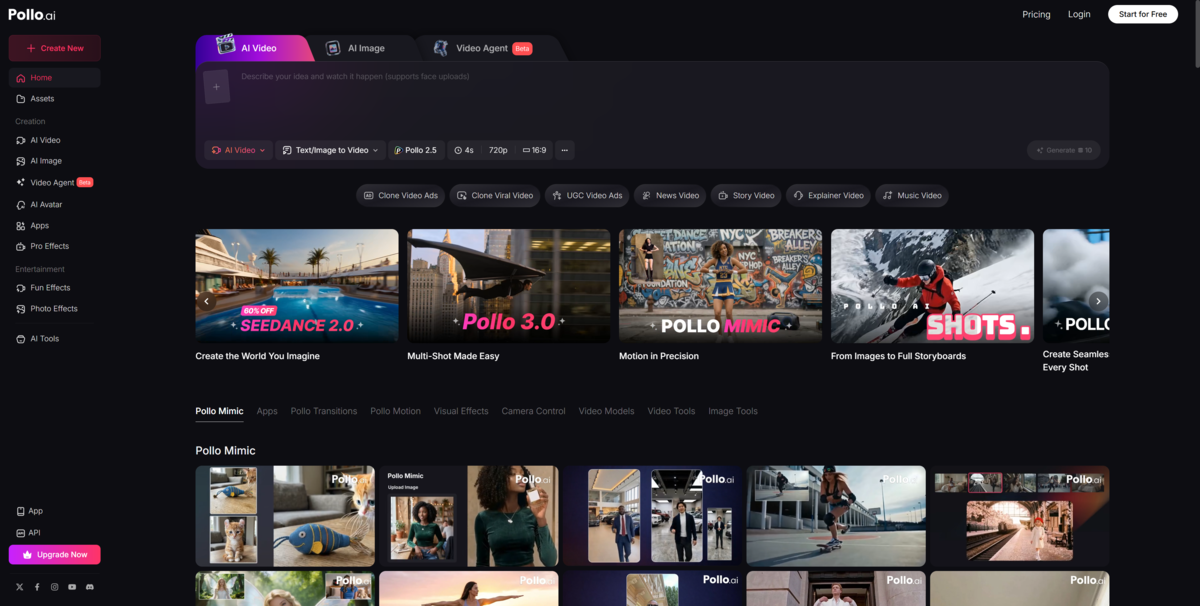
Creators who want image and video experimentation with less friction from existing photos Why it stands out: Useful for quick visual ideation and content repurposing especially for creators who need to iterate on existing images without rebuilding from scratch. Works well across mobile and browser. Main drawback: For final brand-polish work with precise layout requirements, desktop tools may still be needed alongside it. Ideal user: Mobile-first creators who want flexible AI creation without deep technical knowledge.
2. CapCut
Social-first editing and fast short video production Why it stands out: CapCut is built for the way creators actually work on social platforms fast templates, trending audio, auto-captions, and direct export. It does not try to do everything; it does the social video part very well. Main drawback: Less useful if your core problem is image generation rather than video editing. Ideal user: Creators publishing frequently to TikTok, Reels, or YouTube Shorts.
3. Adobe Express / Firefly Ecosystem
Teams and freelancers working with client brands or licensing-sensitive projects Why it stands out: Adobe has positioned Firefly as "corporate-approved" AI trained on licensed content, with clear commercial-use terms. That matters if you sell AI-generated assets or work under brand guidelines. Main drawback: Credit-based system can be limiting, and the ecosystem can create its own lock-in. Ideal user: Professionals who need clean IP clearance and already live in the Adobe ecosystem.
4. Runway
Creators moving from static images into polished short-form video Why it stands out: Runway offers sophisticated motion and editing capabilities that go well beyond basic animation. It is a genuine creative tool, not just a filter. Main drawback: The learning curve and output times can feel heavy if you only need quick, simple clips. Ideal user: Video-first creators who want control over motion, timing, and narrative structure.
5 . Canva
All-in-one design and fast publishing Why it stands out: Canva removes the old pain of generating an image in one tool and then uploading it to another for layout. Its AI image features and design templates live in the same workspace. One creator put it plainly: "With Midjourney, I'd generate an image, download it, open Canva, upload it, design around it. With Canva AI, I just... did everything in one place." Main drawback: Can feel template-led for creators who want more originality in their outputs. Ideal user: Creators who prioritize fast, consistent, publishable outputs over experimental visuals.
6. Picsart
Quick visual edits and mobile-friendly creative experimentation Why it stands out: An approachable toolset that covers background removal, filters, basic AI generation, and collage creation. Good for creators who want results without a steep learning curve. Main drawback: Output quality and consistency vary depending on the task. Ideal user: Casual or early-stage creators building a personal style.
7. Lensa (or a portrait-focused equivalent)
Portraits, avatars, and social-ready personal content Why it stands out: Simple, fast, and designed specifically for making people look better on camera. Works well for profile pictures and personal brand content. Main drawback: Narrow use case — not useful if you need product, landscape, or brand visuals. Ideal user: Creators whose brand is built around their personal image.
8. Remini (or a photo enhancement equivalent)
Improving weak source images before reuse Why it stands out: Helpful for restoring sharpness and detail in older photos or low-quality shots taken on a bad camera day. Bridges the gap between unusable and workable. Main drawback: Enhancement is not the same as creative control — you are improving what exists, not changing what you want. Ideal user: Creators repurposing older content or working with archival imagery.
9. Pika (or a lightweight AI video app)
Playful motion content and quick social experimentation Why it stands out: Fast results for attention-grabbing clips. Good for social teaser content or testing whether an animated concept resonates before investing in full production. Main drawback: Less control for polished, commercial-grade output. Ideal user: Creators who prioritize speed and novelty for early-stage content testing.
10. ChatGPT (or a prompt-assistant companion)
Thinking before generating brainstorming prompts, captions, content angles, and creative direction Why it stands out: One of the most under-used tools in a creator's stack. Helping you think clearly about what you want to create before you start generating can save dozens of failed outputs. Main drawback: Not a visual tool by itself it needs to be paired with image or video tools to complete the workflow. Ideal user: Every creator, honestly.
Which Type of App Fits Your Workflow Best?
If you start from existing photos: Prioritize image-to-image and revision-friendly tools (apps #1 and #8 on this list). Work forward from what you already have rather than generating from nothing.
If you care most about social video speed: Focus on CapCut and Pika (#5 and #9). Both are built around publishing quickly and frequently.
If you need polished brand assets: Adobe Express and Canva (#2 and #3) offer stronger layout control and licensing clarity.
If you want strong visual aesthetics without Discord-based friction: Some creators in this position start by checking what a Midjourney alternative can offer before committing to any new subscription. The gap in quality between Midjourney and well-positioned alternatives has narrowed meaningfully — and the workflow difference is significant. Discord complexity, high monthly fees, and restrictive prompt filters are all cited as reasons creators move on.
A Smarter "Keep / Delete" Rule for Your Phone
More apps do not mean better output. They usually mean more friction, more context-switching, and less consistency.
A practical framework:
- Keep 1 generation app (for creating new visuals from scratch)
- Keep 1 editing or enhancement app (for fixing and refining existing images)
- Keep 1 video app (for motion, social clips, and anything moving)
- Delete overlap wherever possible
If two apps on your phone do roughly the same thing, one of them is just slowing you down.
Conclusion
The best AI app list is not the one with the most features it is the one with the fewest tools that still let you do real work well. Choose based on your actual workflow starting point: existing image, blank canvas, or short-form video. Everything else is noise.

_(1).jpg)


